The Connections page links the tenant to its commerce and support systems: OAuth flows for Square and Shopify, and token forms for Redo, Gladly, Gorgias, Toast, Kustomer, Zendesk, Shopmonkey, and Tekmetric. The Helpdesk page is the read-only view of whichever helpdesk is connected: its escalation history, inboxes, and agents.
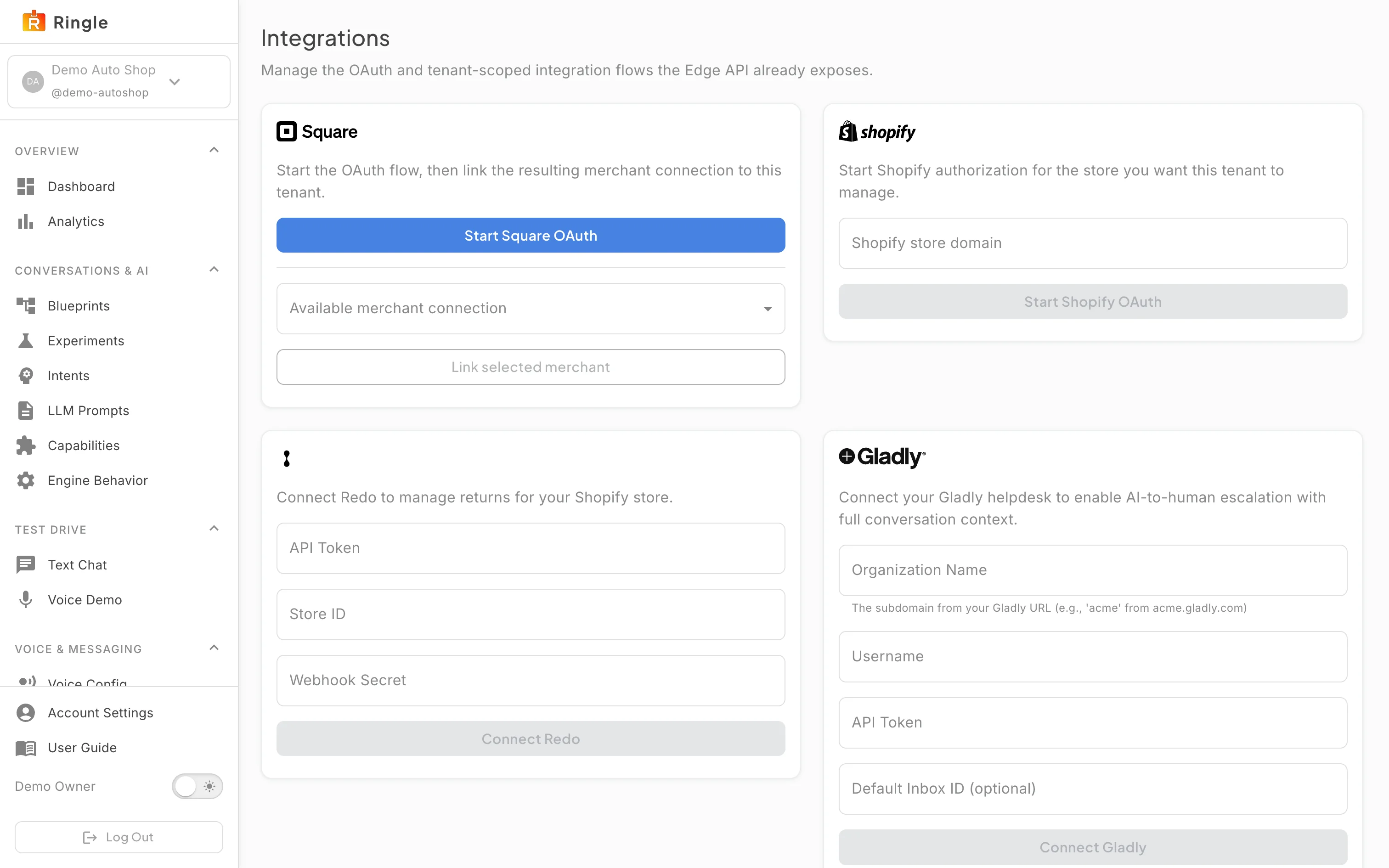
Action: Click Connections under Account & Access in the sidebar. Scroll through the grid.
What you should see: The provider cards appear, followed by a Site FAQ crawling section. Square starts an OAuth flow and then lets you link the resulting merchant connection to the tenant. Shopify takes your store domain and starts Shopify authorization. Redo (API token, store ID, webhook secret), Gladly (organization, username, API token, optional inbox), Gorgias (domain, email, API token, optional team), Toast (restaurant ID, client ID and secret), Kustomer (organization, API token, optional queue), and Zendesk (subdomain, email, API token, optional group) are inline token forms. Shopmonkey (API key) and Tekmetric (client ID, secret, shop ID) connect appointment booking. Every Connect button stays disabled until its required fields are filled. The Site FAQ crawling section at the bottom takes a domain you own and two options (override robots.txt, render JS pages) and lets Ringle gather FAQs from that site for review before they go live.
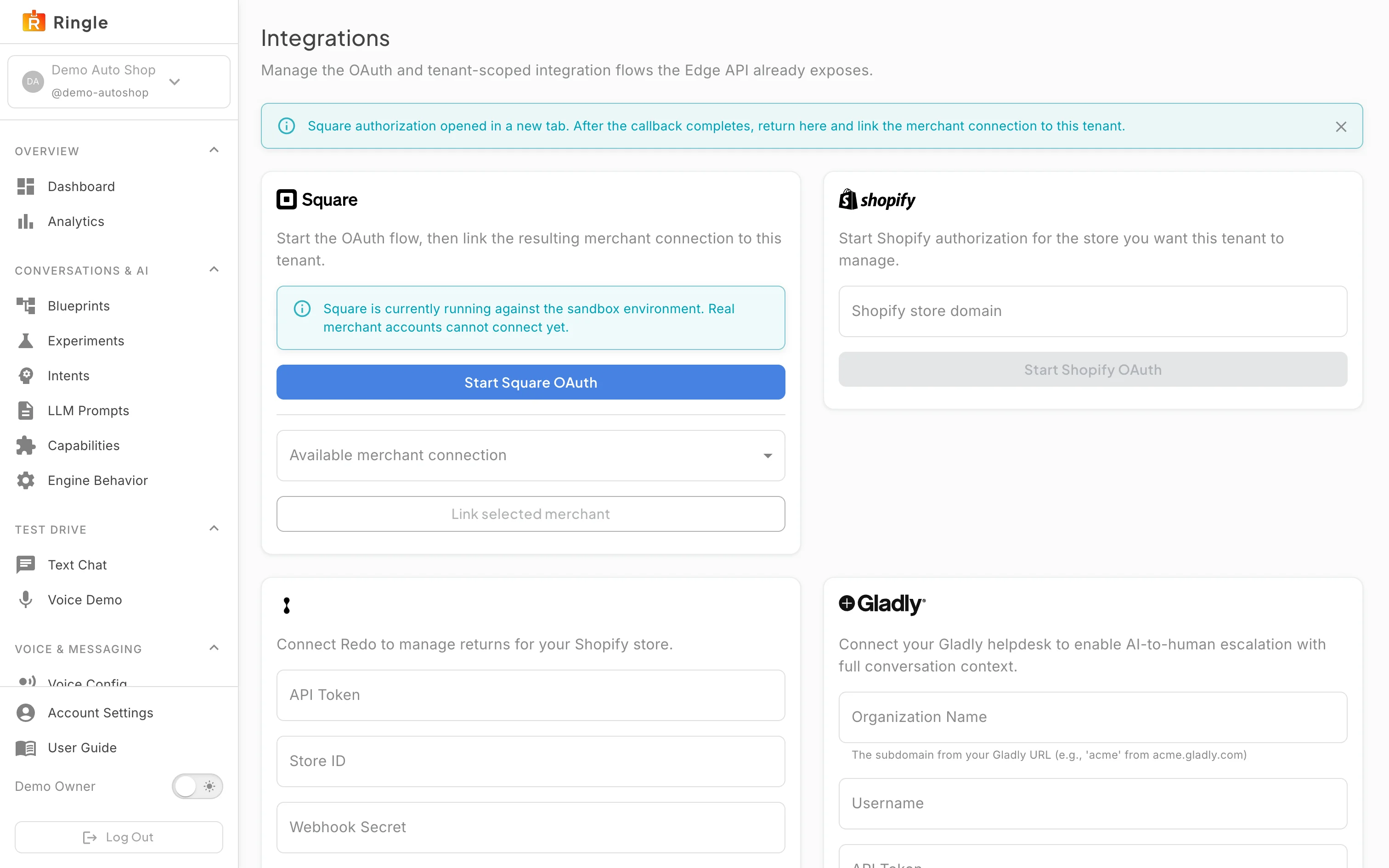
Action: Click Start Square OAuth to connect Square. Complete the authorization in the new tab only when you mean to connect. Otherwise close that tab.
What you should see: A banner confirms “Square authorization opened in a new tab. After the callback completes, return here and link the merchant connection to this tenant.” A second note says Square is running against the sandbox environment, so real merchant accounts cannot connect yet. To finish, return here, pick the merchant in the Available merchant connection dropdown, and click Link selected merchant. For Shopify, enter the store domain first. Start Shopify OAuth enables once a domain is present. (This capture abandoned the authorization without granting anything.)
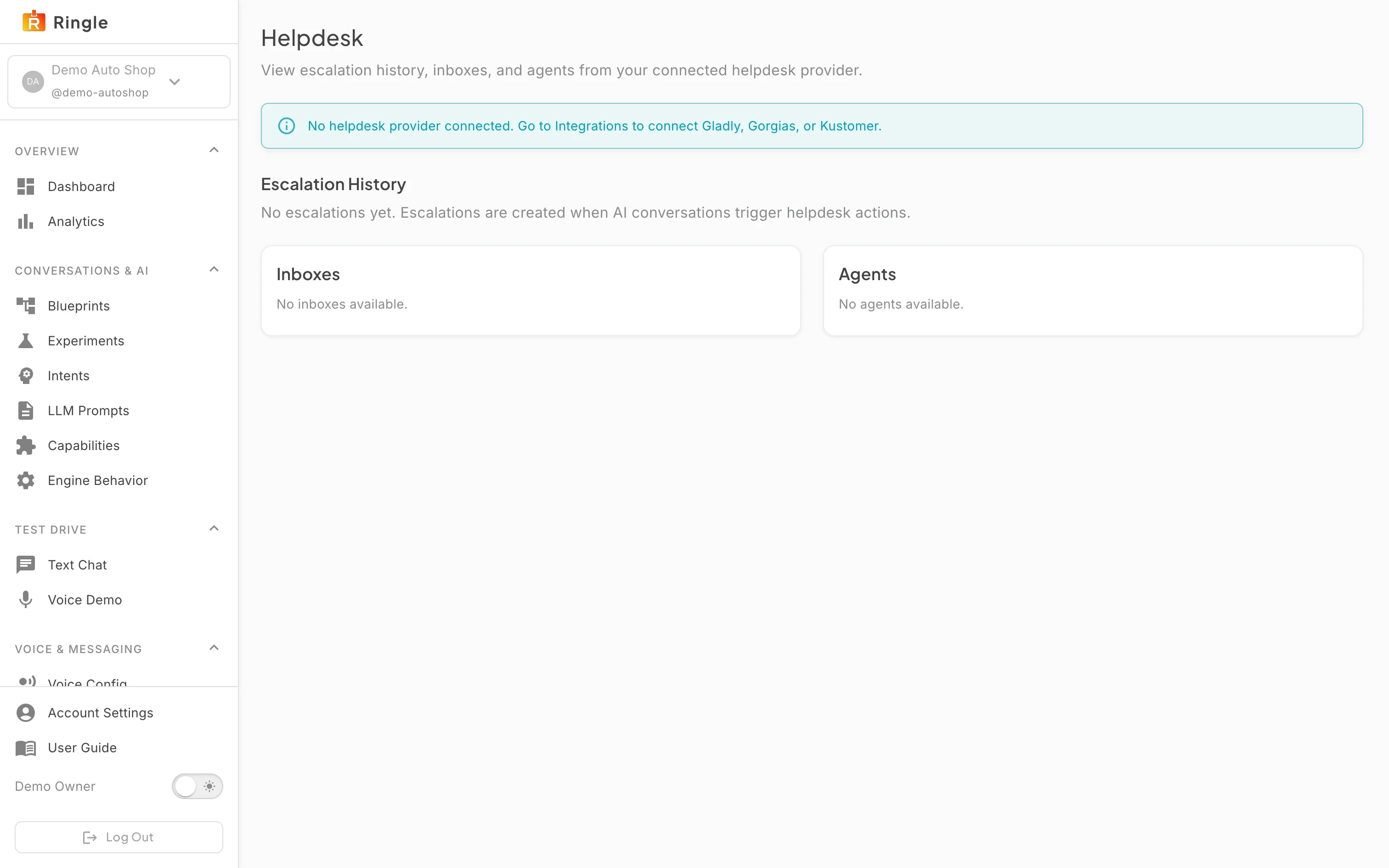
Action: Click Helpdesk in the sidebar.
What you should see: The Helpdesk page summarizes the connected provider. With none connected, as in the demo tenant, an info banner points you to Integrations to connect Gladly, Gorgias, Kustomer, or Zendesk. Below it, Escalation History lists tickets the assistant has opened (conversation, channel, reason, status, created). The Inboxes and Agents cards list the provider’s directory once a helpdesk is connected.
/settings/integrations (sidebar “Connections”)
and /settings/helpdesk (sidebar “Helpdesk”) under Account
& Access, both gated by the integrations.manage
permission. Source: pages/settings/IntegrationsPage.jsx and
pages/settings/HelpdeskPage.jsx.