A/B test conversation variants from your workspace. Browse the experiments list and learn the create-experiment form, its traffic and routing settings, and the variants table.
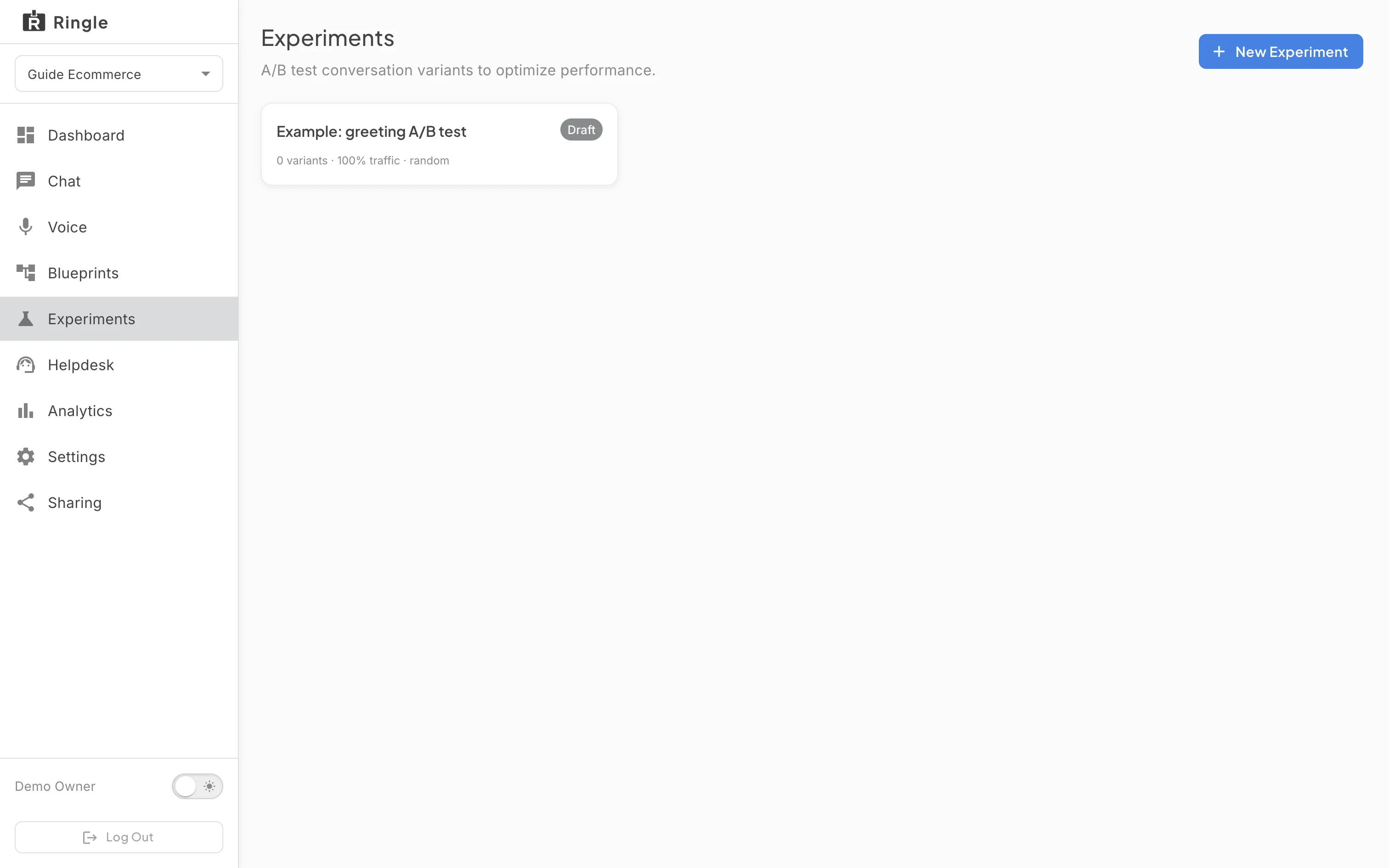
Action: Open Experiments from the workspace sidebar.
What you should see: The page header reads “Experiments” with the subtitle “A/B test conversation variants to optimize performance.” A workspace with no experiments shows “No experiments yet. Create one to get started.” and a New Experiment button (also in the header). Existing experiments appear as cards. Each card has a status chip (Draft, Running, Paused, or Concluded) and a summary of variant count, traffic allocation, and routing strategy. While an experiment is running, the New Experiment button is disabled.
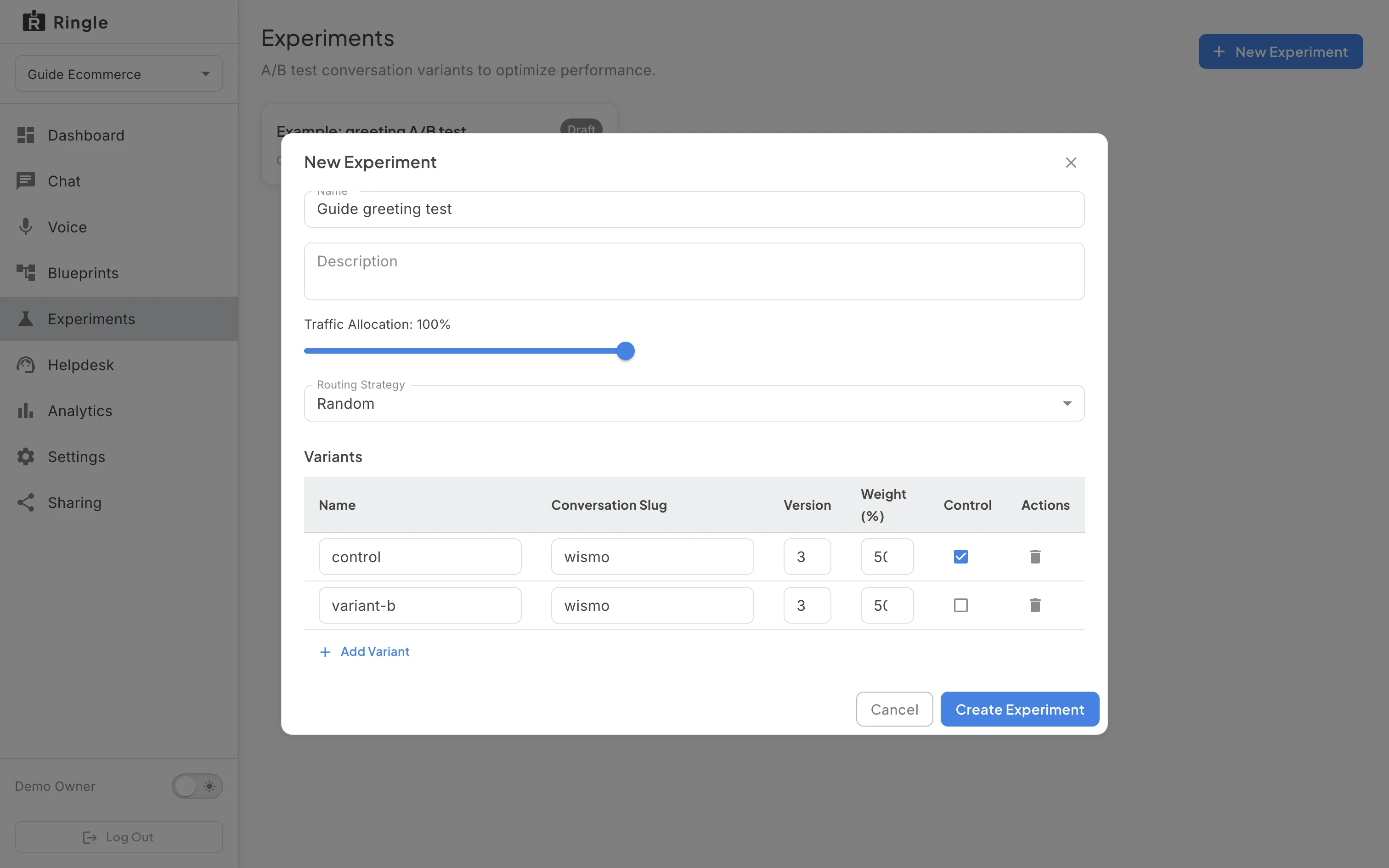
Action: Click New Experiment. Fill in the basics.
What you should see: The “New Experiment” dialog opens. It has Name (required), Description (optional), a Traffic Allocation slider, and a Routing Strategy select. Traffic Allocation is the share of conversations that enter the experiment; the default is 100%. For Routing Strategy, Random assigns visitors randomly by weight, and Deterministic keeps assignment stable for the same visitor. Below is the Variants table with columns Name, Conversation Slug, Version, Weight (%), Control, and Actions, plus an Add Variant button. Variant weights should total 100%; the dialog warns when they do not. Cancel and Create Experiment buttons close the dialog.
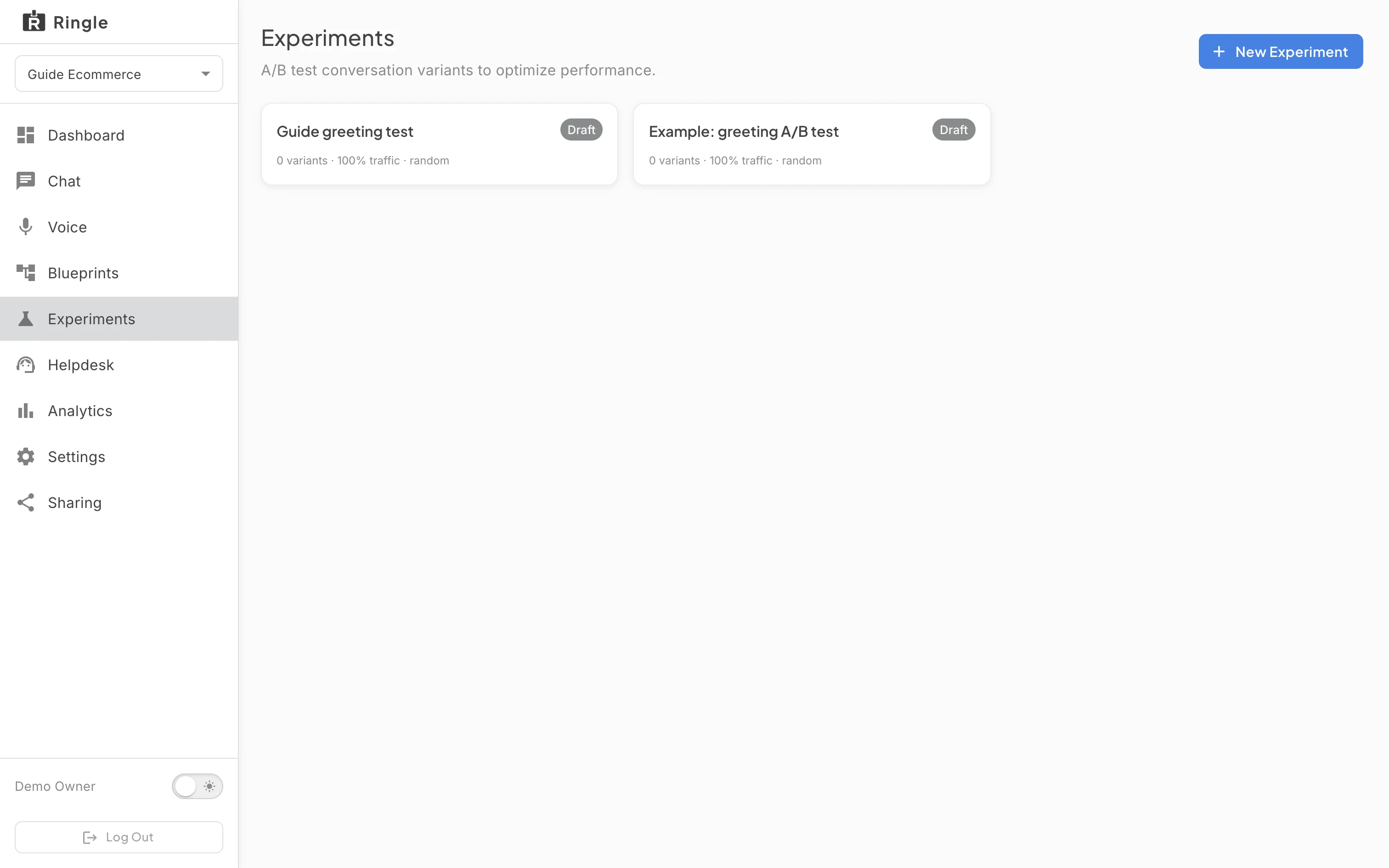
Action: Click Create Experiment.
What you should see: The dialog closes. The new experiment appears in the list as a card with a grey Draft status chip. Nothing runs yet; a draft only starts when you open it and click Start.
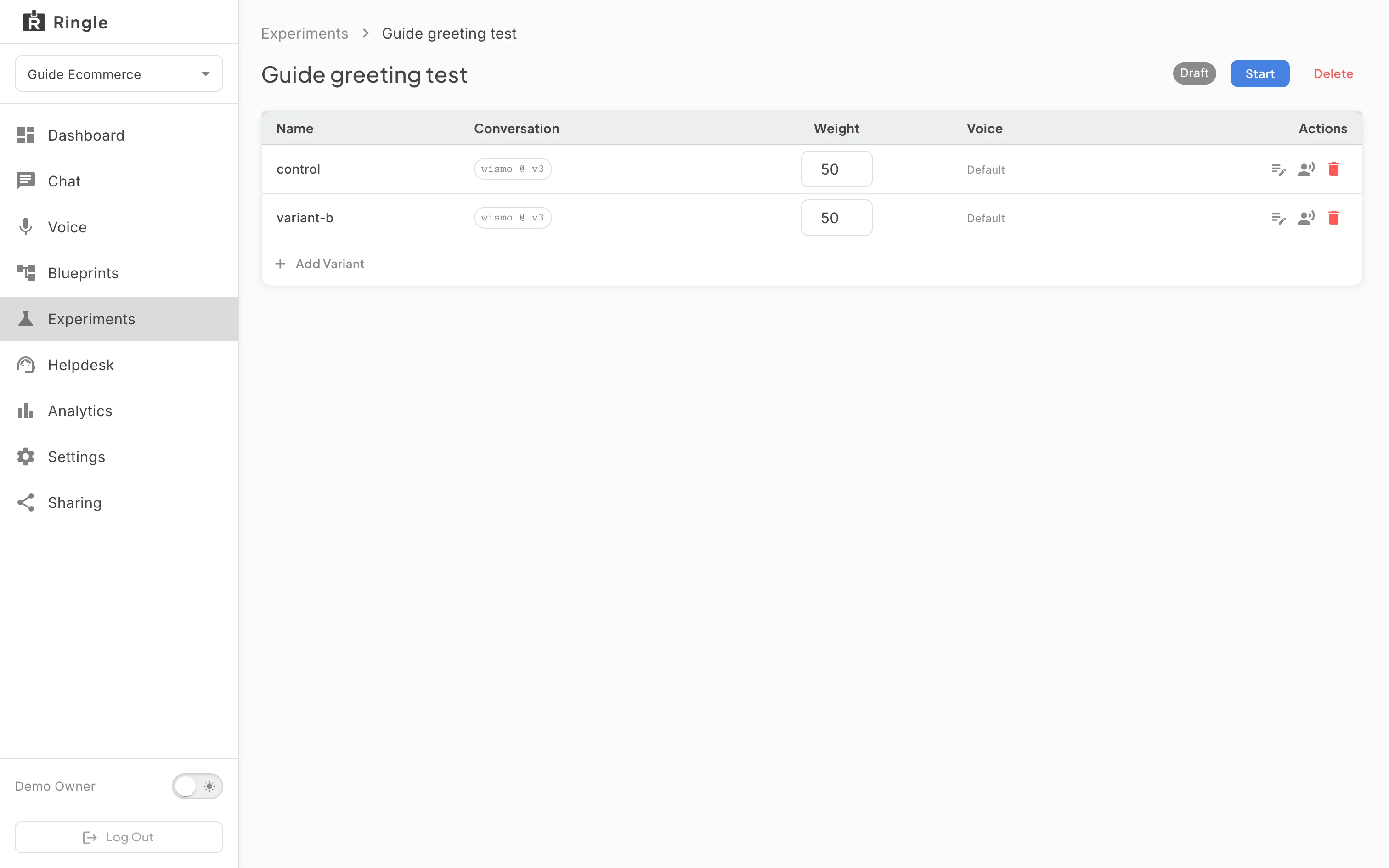
Action: Click the experiment card to open its detail page.
What you should see: The detail page shows the experiment name, its status chip, and the variants table. The table lists each variant’s name, the conversation and version it points at, its weight, its voice, and session counts once running. The available actions depend on status. A Draft offers Start and Delete; Start is enabled once there are at least two variants and weights total 100%. A Running experiment offers Pause and Conclude. A Paused one offers Resume and Conclude. Conclude asks you to pick the winning variant and cannot be undone.
/demos/:demoWorkspaceId/experiments (list) and
/demos/:demoWorkspaceId/experiments/:experimentId
(detail).pages/demo-workspace/DemoWorkspaceExperimentsListPage.jsx,
pages/demo-workspace/DemoWorkspaceExperimentDetailPage.jsx,
and the shared components/experiments/ExperimentEditor.jsx
dialog.